

Sign up options
Freiya offers two registration methods to suit your preference:Email registration
Sign up with your email address and create a password
Google OAuth
Sign up instantly using your existing Google account
Email registration
Create an account using your email address with our secure registration process.Registration steps
1
Visit signup page
Navigate to freiya.ederspark.com/auth/signup
2
Enter your information
Fill in the registration form:
- Full name - Your display name
- Email address - Must be valid for verification
- Password - Secure password meeting requirements
3
Submit registration
Click Sign Up to create your account
4
Check your email
Look for verification email from Freiya
5
Enter verification code
Open the email and copy the 5-digit code
6
Verify account
Enter the code on the verification page
7
Start using Freiya
Your account is activated, begin exploring!
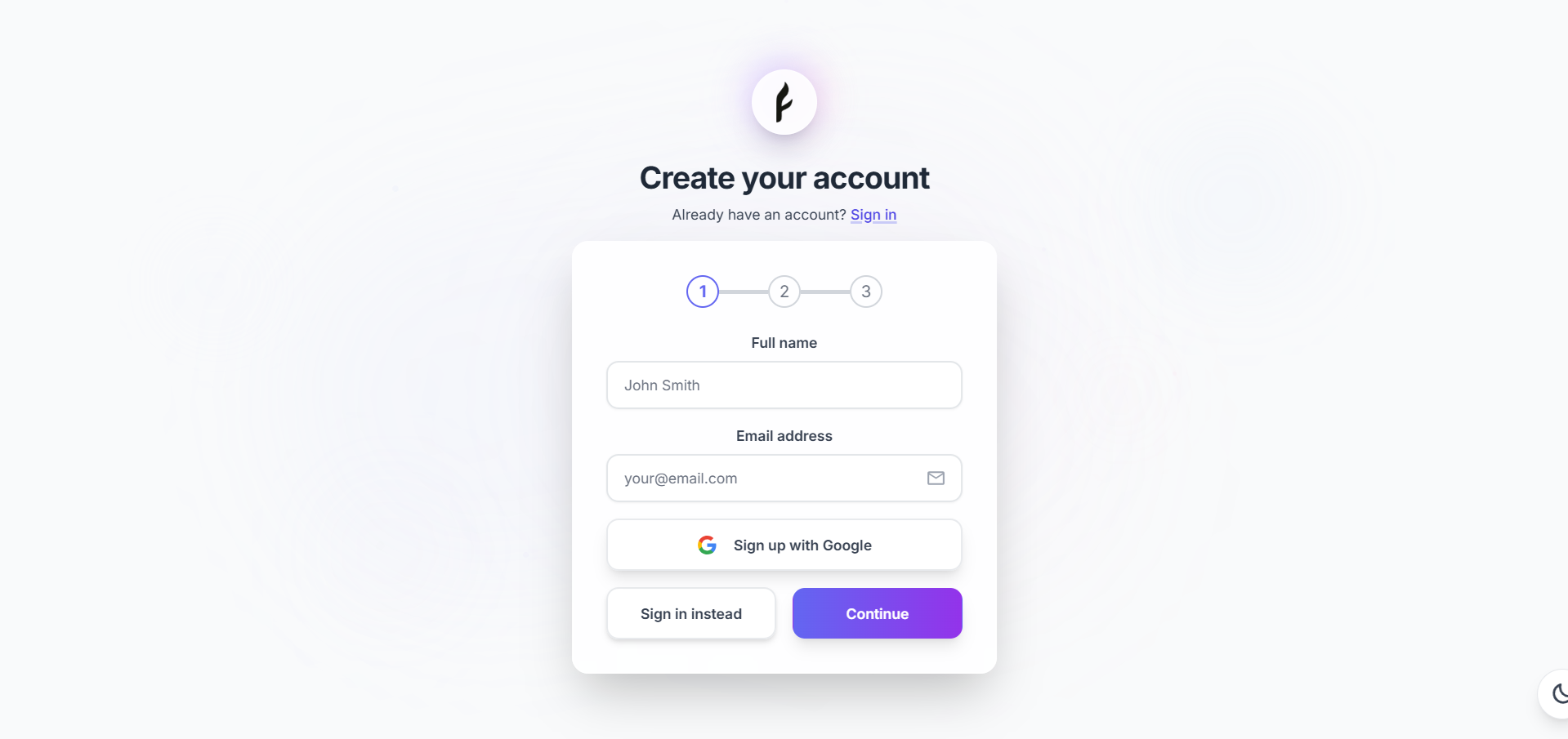
Password requirements
Your password must meet these security standards:- Minimum 8 characters
- At least one uppercase letter (recommended)
- At least one number (recommended)
- At least one special character (recommended)
Email verification
After registering, you’ll receive a verification email: Email contents:- 5-digit verification code
- Link to verification page
- Code expiration time (1 hour)
- Check spam/junk folder
- Verify email address was entered correctly
- Wait a few minutes (delivery can be delayed)
- Request a new code on the verification page
Completing verification
1
Open verification page
Click the link in the email or navigate manually
2
Enter code
Type the 5-digit code from your email
3
Submit
Click Verify Email
4
Success
Account verified! You’ll be redirected to the app
Google OAuth registration
Sign up instantly using your Google account, no password needed, no email verification required.OAuth steps
1
Visit signup page
2
Click Continue with Google
Find and click the Continue with Google button
3
Select Google account
Choose the Google account you want to use
4
Grant permissions
Review and accept the permissions Freiya requests
5
Automatic redirect
You’re instantly logged in and redirected to the app
Benefits of Google OAuth
- Faster signup - No forms to fill, instant account creation
- No password - One less password to remember
- Auto-verification - Email pre-verified by Google
- Secure - Google’s enterprise-grade security
- Easy login - Quick sign-in on future visits
Your Google account email becomes your Freiya account email. Your password stays with Google, Freiya never sees it.
Permissions requested
When you sign up with Google, Freiya requests:Freiya never posts to your Google account or accesses other Google services without permission.
Signing in
After creating your account, sign in to access Freiya.Sign in with email
1
Visit signin page
2
Enter credentials
Input your email and password
3
Click Sign In
Submit the form
4
Access granted
You’re logged in and redirected to your workspace
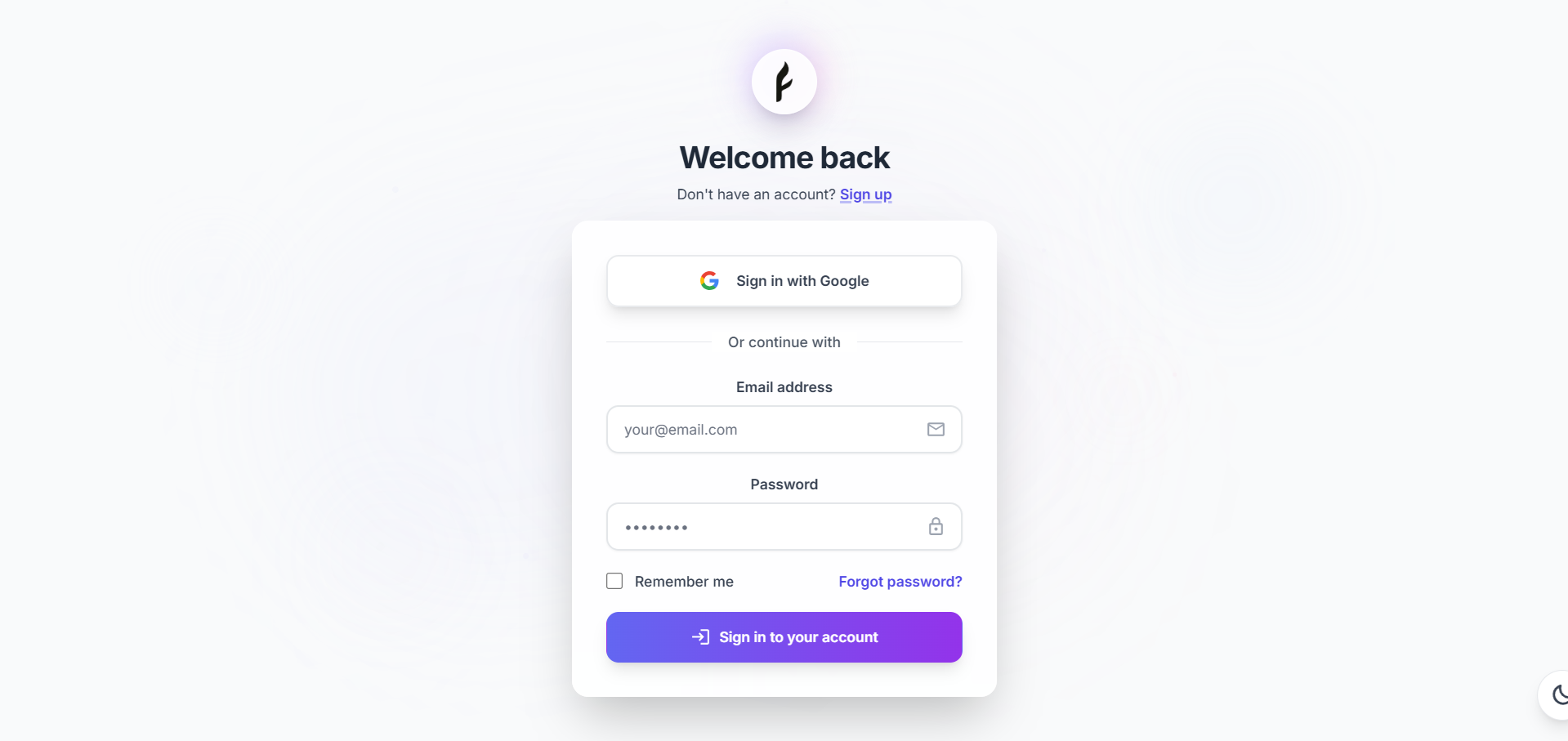
Sign in with Google
1
Visit signin page
2
Click Continue with Google
Use the Google OAuth button
3
Select account
Choose your Google account
4
Instant access
Automatically signed in
Remember me
Check Remember Me to stay signed in:- Session persists for 30 days
- Secure token stored locally
- Auto-login on return visits
- Can be disabled in Settings
Account security
Secure your account
Best practices:- Use a strong, unique password
- Enable two-factor authentication (coming soon)
- Don’t share your password
- Log out on shared devices
- Review active sessions regularly
Password reset
Forgot your password? Reset it easily:1
Click Forgot Password
On the sign-in page, click Forgot Password?
2
Enter email
Provide the email associated with your account
3
Check email
Look for password reset email
4
Click reset link
Link is valid for 1 hour
5
Set new password
Enter and confirm your new password
6
Sign in
Use your new password to log in

Session management
Freiya uses JWT (JSON Web Tokens) for secure session management: Session features:- Secure tokens - Encrypted and signed
- Auto-renewal - Extends on activity
- Expiration - 24 hours of inactivity
- Multi-device - Sign in on multiple devices
- Logout - Invalidates tokens
Account deletion
Need to delete your account?1
Go to Settings
Navigate to Settings → Account
2
Find Delete Account
Scroll to the danger zone section
3
Click Delete
Click Delete My Account
4
Confirm deletion
Type your email to confirm
5
Account deleted
All data removed within 30 days
Account deletion is permanent! All papers, chats, annotations, and collections will be deleted. Export your data first if you want to keep it.
Troubleshooting
Verification email not received
Verification email not received
Try these steps:
- Check spam/junk folder
- Verify email address spelling
- Wait 5-10 minutes for delivery
- Click “Resend verification email”
- Try a different email address
- Contact support if still not received
Verification code expired
Verification code expired
Codes expire after 1 hour for security:
- Click “Resend verification code”
- Check email for new code
- Enter new code promptly
- Complete verification within 1 hour
Can't sign in with Google
Can't sign in with Google
Possible issues:
- Pop-ups blocked by browser (allow for freiya.ederspark.com)
- Third-party cookies disabled (enable for Google OAuth)
- Browser extensions blocking OAuth
- Try incognito/private mode
- Try a different browser
Password reset email not received
Password reset email not received
Check these items:
- Spam/junk folder
- Email address is correct
- Wait a few minutes
- Request another reset
- Contact support if persistent
Account already exists
Account already exists
This means:
- Email is already registered
- Try signing in instead of signing up
- Use password reset if you forgot your password
- Contact support if you believe this is an error
After signing up
Once your account is created and verified:Quick start guide
Get up and running in 5 minutes
Add your first paper
Learn how to import papers to your library
Try AI chat
Start a conversation with AI
Account settings
Customize your preferences
Privacy and data
Your data is yours:- Encrypted in transit and at rest
- Never shared without permission
- GDPR compliant
- Can be exported anytime
- Deleted on request
- Email and name (for your account)
- Papers you add (stored securely)
- Chats and annotations (private to you)
- Usage analytics (anonymized)
Need help?
Having trouble signing up or signing in?- 📧 Email: support@ederspark.com
- 📚 Check our troubleshooting guide
- 💬 Contact support through the help widget